Versions management
Please note that all software versions since 2.0.0 are set to 'latest'.
If you need to have particular software version static, add it to overrides.yml
This change ensure seamless support for both Ubuntu 22 and 24
After every ansible run, it prints all the versions which were installed/updated.
Also, it saves/updates them in ./current-versions.yml. This file is added to .gitignore, so it is not versioned.
Example: Versions output
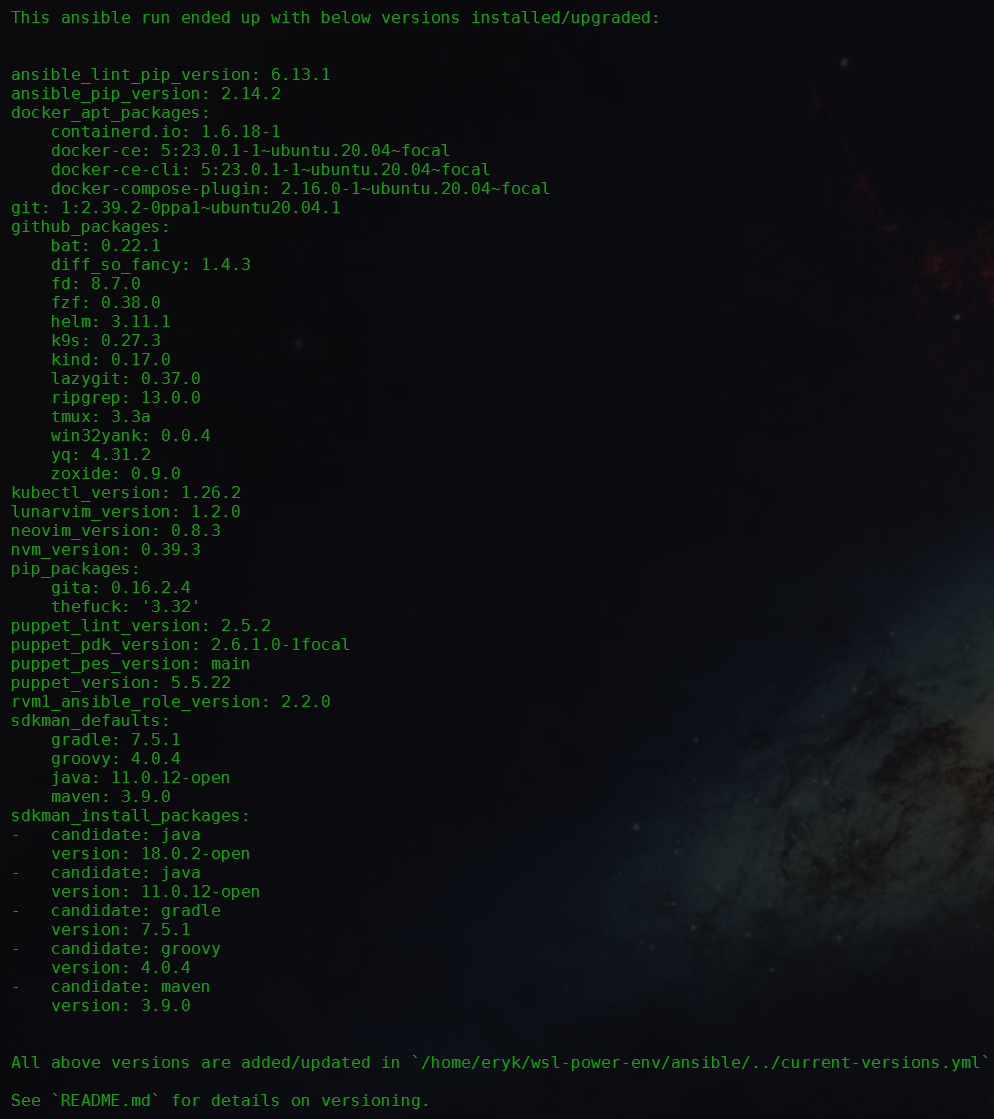
If you use master branch (which has all the versions set to latest), and you want stability for particular component, you can copy any of those outputs and add them to your ansible/vars/overrides.yml so this version will be used for any subsequent runs.
You only need to set the packages you actually want to pin. Version catalogs
(github_packages, pip_packages, docker_apt_packages) in your
ansible/vars/overrides.yml are merged on top of the defaults, so any
package you don't mention keeps its default (usually latest). For example:
github_packages:
  tmux: "3.7c"
  neovim: "0.12.5"
This pins only tmux and neovim; every other tool — including ones added by
newer Proveasio releases (e.g. hunk, ccmux) — still resolves normally. You
no longer need to copy the whole catalog and set everything else to latest.
Earlier versions replaced the whole catalog, so an overrides.yml copied from
an old current-versions.yml could break newer runs with errors like
object of type 'dict' has no attribute 'hunk'. With merging this no longer
happens; you can safely trim your overrides.yml down to just the pins you care
about.
Please also note, that not every software version supports latest. Some need to be set explicitly. See ansible/roles/software/vars/main.yml for all static vars.
:::
GitHub API rate limits
With versions set to latest, each run queries the GitHub API to resolve the newest release for ~30+ tools. Unauthenticated GitHub API requests are limited to 60 per hour (shared across everyone on your public IP), so running the playbook a few times in a row can exhaust it and fail with:
Target version for `<app>` is empty. The GitHub API call returned nothing,
most likely because the unauthenticated rate limit (60 requests/hour ...) was exceeded.
Authenticating raises the limit to 5000 requests/hour. Proveasio picks up a token automatically from the first of these that is set:
- the
github_api_tokenvariable (e.g. inansible/vars/overrides.yml) - the
GITHUB_TOKENorGH_TOKENenvironment variable gh auth token— i.e. after a one-timegh auth login
The easiest option (since gh is installed by Proveasio) is:
gh auth login
Alternatively, pass a personal access token (a classic token with no scopes, or a fine-grained token with public read access, is enough — resolving public release versions needs no permissions):
# one-off, for a single run
GITHUB_TOKEN=ghp_xxx ansible-playbook -i inventory.yml setup-ubuntu.yml -K
or persist it in ansible/vars/overrides.yml:
github_api_token: ghp_xxx
Authentication is entirely optional — with no token found, the queries run unauthenticated exactly as before. You can check your current limit any time with curl -s https://api.github.com/rate_limit.